Every week, hundreds of construction crews, maintenance teams, and field supervisors gather for safety meetings—often called toolbox talks. Yet, too many of these sessions are rushed, poorly documented, or skipped entirely. The result? Missed hazards, inconsistent training, and weak compliance records.
The root cause isn’t lack of effort—it’s lack of structure. Without a clear format, even well-intentioned safety discussions fall apart. That’s where a toolbox talk template in Word comes in. It provides consistency, saves time, and ensures critical safety content is always covered.
This guide delivers a ready-to-use template, explains how to use it effectively, and highlights real-world applications across industries.
What Is a Toolbox Talk Template in Word?
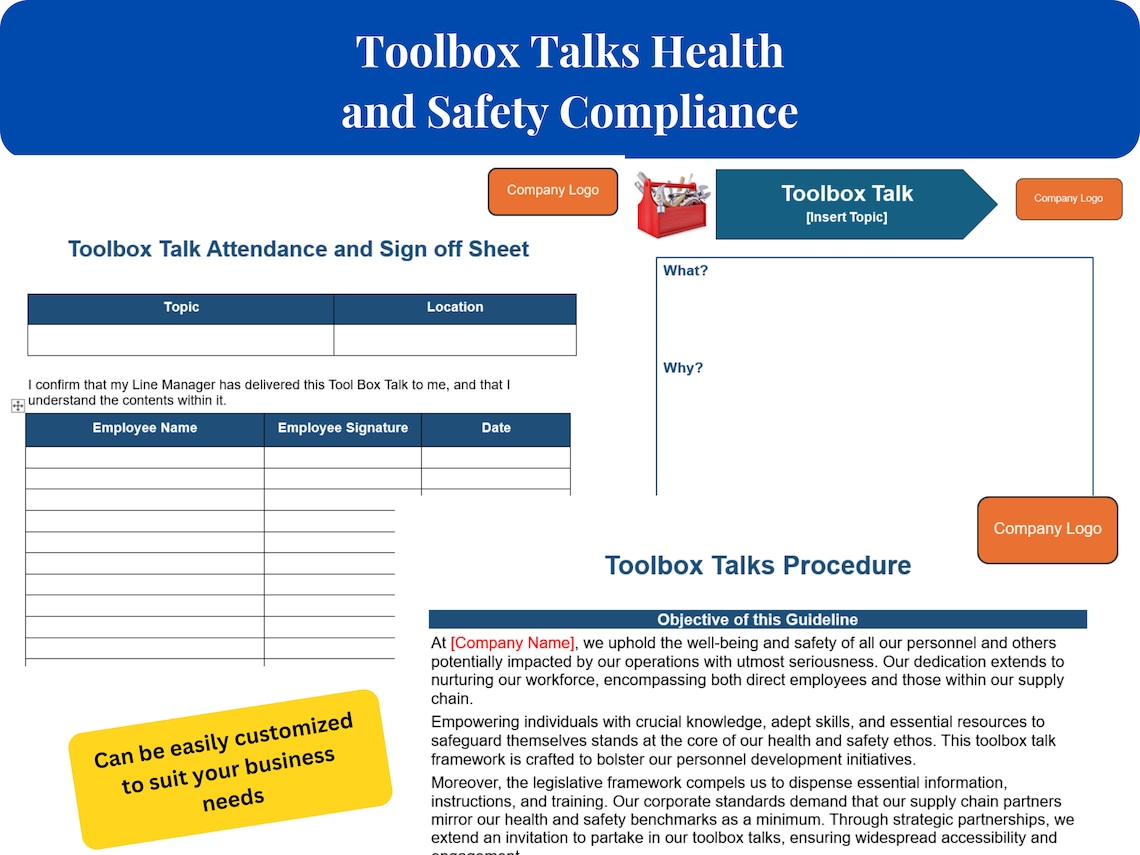
A toolbox talk template in Word is a pre-formatted Microsoft Word document designed to standardize short safety meetings. It typically includes fields for:
- Date and location
- Topic or hazard focus
- Attendee list
- Discussion summary
- Sign-off section
Because it’s built in Word, it’s universally accessible, easy to edit, and simple to store or email. Unlike PDFs or web-only tools, a Word template can be customized by any team—no special software needed.
These templates are not just forms—they’re operational tools that turn verbal safety conversations into documented compliance actions.
Key Components of an Effective Template
A good toolbox talk template does more than collect signatures. It drives engagement, reinforces learning, and creates an audit trail. Here’s what every effective Word template should include:
1. Header Section Include project name, work zone, date, and supervisor. This ensures traceability for OSHA or internal audits.
2. Safety Topic Field Pre-fill common topics (e.g., fall protection, electrical safety, PPE) or leave space for custom entries. This keeps the discussion focused.
3. Hazard Identification Checklist A brief checklist of potential risks related to the topic. For example, under “working at height,” list missing guardrails, unstable ladders, and unsecured tools.
4. Discussion Notes Space for the facilitator to summarize key points: what was said, questions raised, and decisions made.
5. Attendance & Signatures A table listing attendees with checkboxes or signature lines. This confirms participation and understanding.
6. Corrective Actions A dedicated box to note follow-up steps: “Replace frayed extension cord by Friday,” or “Retrain on lockout/tagout next week.”
Without these elements, a template becomes just another form—not a functional safety tool.
Real-World Use Cases: Where This Template Works Best
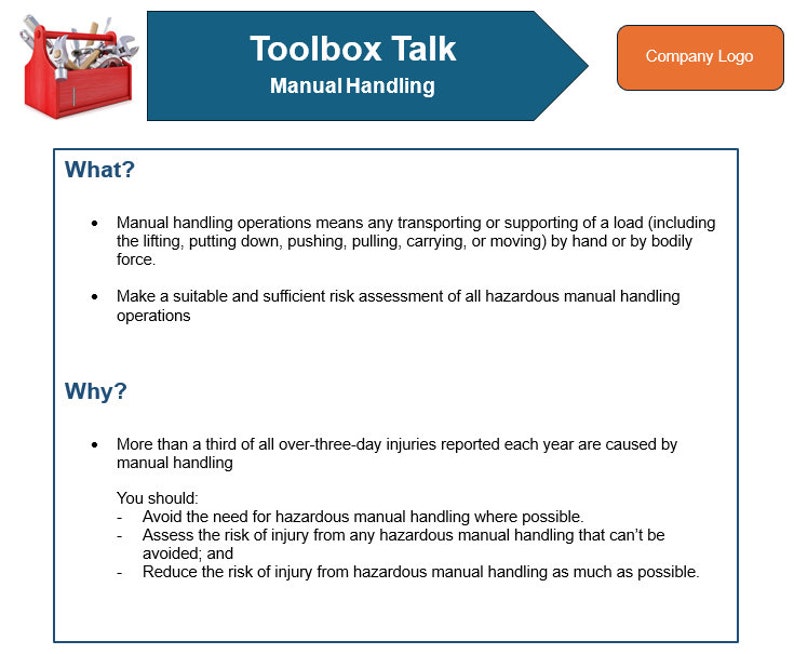
A Word-based toolbox talk template isn’t just for construction. Here are three common applications across industries:
Construction Sites Crews use the template weekly to address changing hazards—trenching one week, crane operations the next. Supervisors print it daily for small crew briefings and file completed copies in project binders.
Example: A framing crew downloads the Word template, edits it to cover “safe use of powder-actuated tools,” fills out names, and files it with the safety manager. Two weeks later, during an OSHA inspection, the document proves training occurred.
Manufacturing Facilities Plant supervisors use the same template monthly for machine-specific safety reviews. They customize it with facility codes and link it to work orders.
Common mistake: Skipping customization. Using a generic “machine safety” topic without specifying the equipment (e.g., “Band Saw #3”) reduces accountability.
Utility and Maintenance Teams Field technicians use a mobile Word app to access and complete the template on tablets. Completed talks are emailed to dispatch and archived.
Pro tip: Save the template as a “Word Template (.dotx)” file so it doesn’t overwrite the original each time it’s opened.
Top 5 Free Toolbox Talk Template Options in Word
While you can build one from scratch, starting with a proven design saves hours. Here are five reliable sources for free downloadable Word templates:
| Option | Source | Customization Level | Best For | Download Format |
|---|---|---|---|---|
| 1. OSHA-Supported Template | CPWR – The Center for Construction Research and Training | High | Construction teams needing OSHA alignment | .docx |
| 2. NIOSH Emergency Services Template | CDC/NIOSH | Medium | Fire, EMS, and rescue crews | Word-compatible PDF |
| 3. Sample from SafetyNow | SafetyNow.com | High | Industrial and manufacturing | .doc |
| 4. Free Template by Creative Safety Supply | Creativesafetysupply.com | Medium | General workplace safety | .docx |
| 5. Build Your Own via Template.net | Template.net | Full | Teams wanting complete control | Editable .docx |
Each of these can be edited in Microsoft Word or free alternatives like LibreOffice. Choose based on your industry specificity and formatting needs.
Limitation: Some free templates lack mobile optimization. If your team uses tablets, test the layout before deployment.
How to Customize Your Word Template in 4 Steps
A generic template won’t reflect your operations. Tailor it with these steps:
Step 1: Brand It Add your company logo, safety slogan, and contact info in the header. This increases ownership and professionalism.
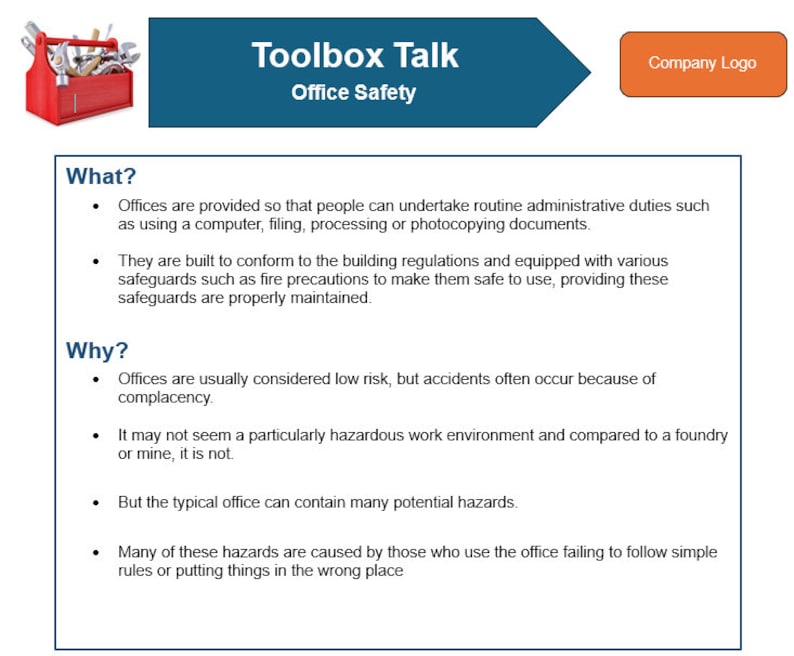
Step 2: Pre-Load Common Topics Insert a dropdown or bullet list of frequent hazards: - Slips, trips, and falls - Hand tool safety - Confined space entry - Noise exposure - Heat stress
This speeds up meeting prep.
Step 3: Adapt the Layout for Speed Use tables to align fields neatly. Keep the entire talk on one page—double-sided printing is acceptable, but two-page forms often get lost.
Step 4: Include Compliance Notes Add a small footnote: “This session meets OSHA 29 CFR 1926.21(b)(2) requirements for safety training.” This reassures auditors.
Once customized, save it as a master template (.dotx) and distribute to supervisors.
Common Mistakes That Undermine Effectiveness
Even with a solid Word template, teams make errors that weaken safety impact:
- Filling it out after the fact – Documentation should follow the talk, not precede it. Backdating creates compliance risks.
- Using the same topic every week – Repetition breeds complacency. Rotate topics based on current work.
- Skipping the discussion – Don’t just sign and file. Use the template to guide real dialogue.
- Poor legibility – Handwritten entries must be clear. If using paper, provide pens with dark ink.
- Not reviewing past talks – Archive completed templates and review them monthly to spot trends.
A template is only as strong as the process behind it.
Why Word Still Wins for Toolbox Talks
You might wonder: why Word instead of apps or digital platforms?
While digital tools offer automation, Word remains the most practical choice for most teams because:
- Universal access – Every office, trailer, and library has Word or a compatible viewer.
- No login or setup – No accounts, passwords, or training needed.
- Offline use – Works without Wi-Fi or cellular signal—critical on remote sites.
- Easy printing – Direct to site printers or shared drives.
- Version control – Simple naming (e.g., “ToolboxTalk_Template_v2.docx”) avoids confusion.
For small to mid-sized teams, Word strikes the best balance between function and simplicity.
Get Started Today: Your Action Plan
A toolbox talk template in Word isn’t just paperwork—it’s proof that safety is part of your workflow.
- Do this now:
- Download a free template from CPWR or Creative Safety Supply.
- Customize it with your logo, common hazards, and signature blocks.
- Train supervisors to use it weekly—and actually talk, not just document.
- File completed talks in a labeled binder or shared drive.
- Review records monthly to improve future sessions.
Consistency beats complexity. A simple, well-used Word template does more for safety than any flashy app.
Frequently Asked Questions
Where can I get a free toolbox talk template in Word? Reputable sources include CPWR, Creative Safety Supply, and SafetyNow. All offer downloadable .docx files.
Can I edit the template on a phone or tablet? Yes, with the Microsoft Word app or Google Docs (upload and convert). Use landscape mode for better editing.
How often should toolbox talks be held? Weekly is ideal, but monthly minimum. Increase frequency during high-risk tasks like excavation or roofing.
Do all workers need to sign? Yes. Signatures confirm attendance and understanding. For large crews, use a numbered list with printed names.
Should toolbox talks be in English only? No. If your team speaks another primary language, provide translations or use bilingual templates.
Can I use the same template for all job sites? Start with one master template, but customize topics and site details for each location.
Is a Word file enough for OSHA compliance? Yes, if it documents the topic, attendees, discussion, and date. Store it securely for at least one year.
FAQ
What should you look for in Toolbox Talk Template Word: Free Download & Best Practices? Focus on relevance, practical value, and how well the solution matches real user intent.
Is Toolbox Talk Template Word: Free Download & Best Practices suitable for beginners? That depends on the workflow, but a clear step-by-step approach usually makes it easier to start.
How do you compare options around Toolbox Talk Template Word: Free Download & Best Practices? Compare features, trust signals, limitations, pricing, and ease of implementation.
What mistakes should you avoid? Avoid generic choices, weak validation, and decisions based only on marketing claims.
What is the next best step? Shortlist the most relevant options, validate them quickly, and refine from real-world results.